 Français (France)
  Finnish (FI)
  English (United Kingdom)




Choose 'New calendar' from the 'Calendars' menu (Figure 1).
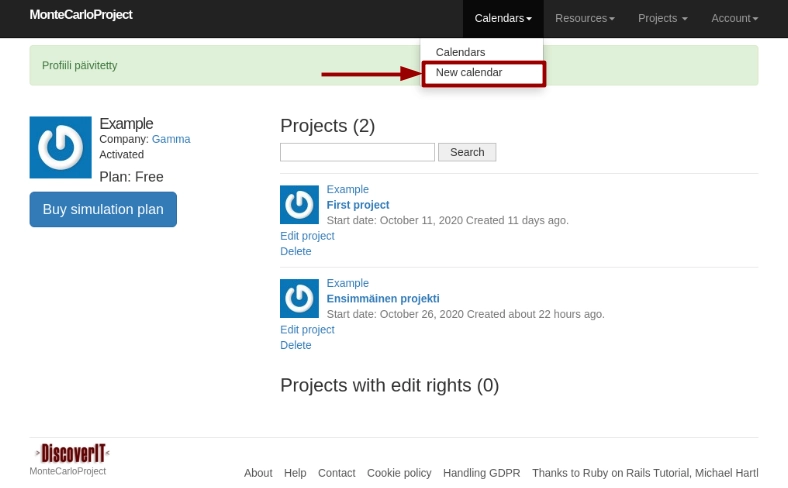
Figure 1. New calendar in 'Calendars' menu.
Fill in the following information:
- name
- description
- daily working hours or shifts
- holidays, which you can add by clicking on the 'New field' link (Figure 2)
- whether the calendar is a default calendar, if the default calendar does not yet exist
Finally click on the 'Create calendar' button.
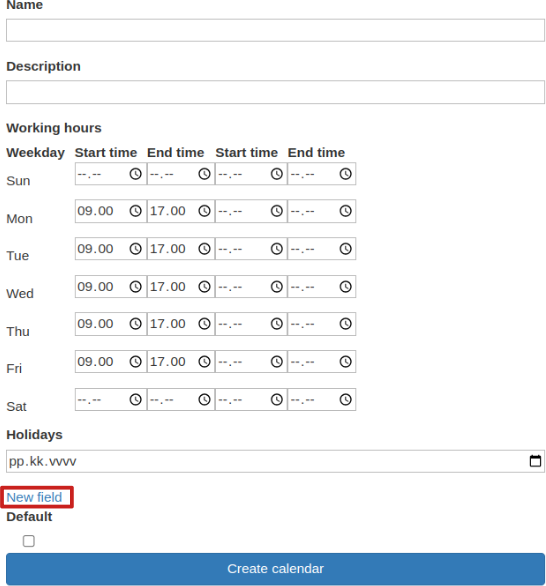
Figure 2. Calendar display.
You will be directed to the calendar view.